
Managing projects
What are projects?
Section titled “What are projects?”A project represents your product. You create a project for each product you are developing. In a project you manage groups, entries, and their translations.
You can invite other users and assign roles so the team can work together.
Where can I see my projects?
Section titled “Where can I see my projects?”On the dashboard you see all projects you own or collaborate on.
If someone invites you, an invitation box appears so you can accept or decline.
The dashboard also shows plan usage (projects, members, API requests).
How do I create projects?
Section titled “How do I create projects?”Go to the dashboard (the first page after signing in) and click Create project.
You need:
- Name — a readable project name (3–32 characters)
- Base language — the main language of the product (fallback language)
- Translation languages — target languages for translations
Language values use locale codes such as en-US or de-DE.
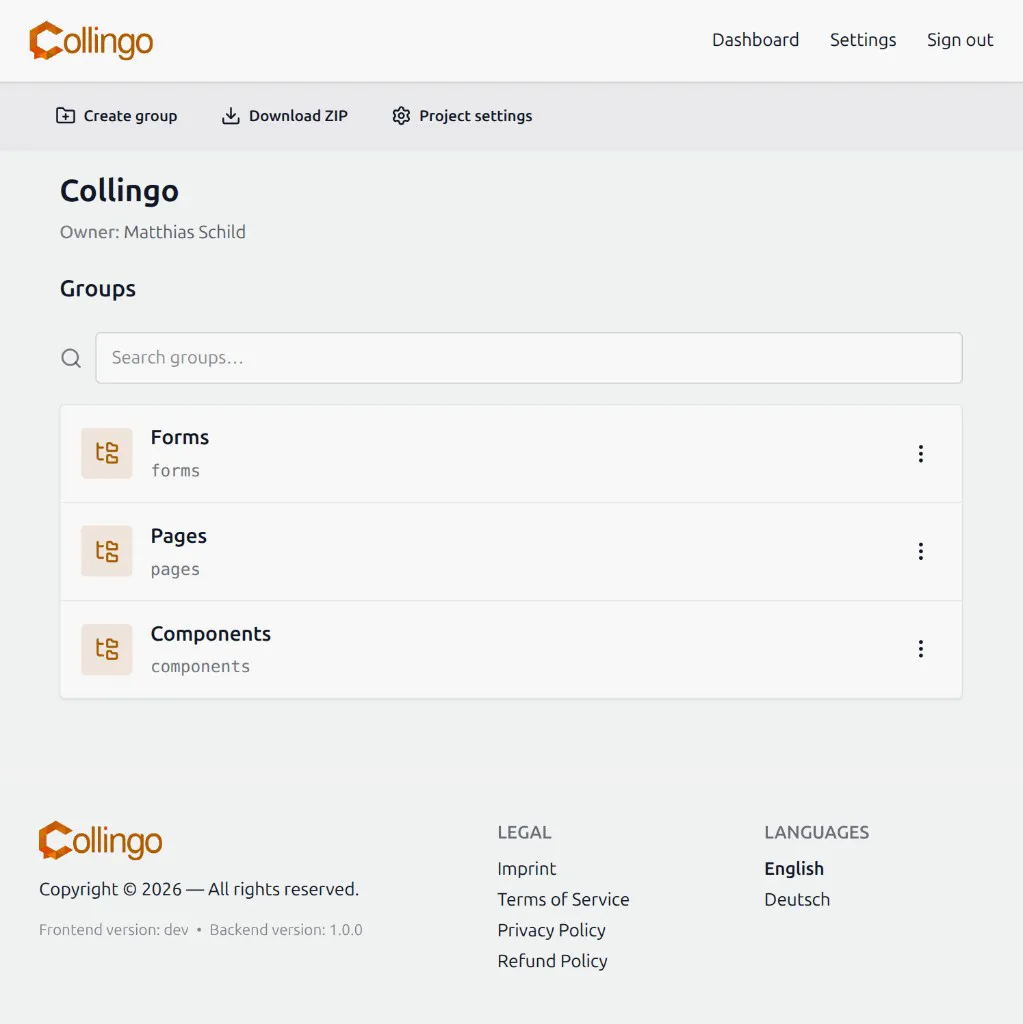
After confirming, you land on the project page. From there you can create groups and download a ZIP export of the project.
How can I edit projects?
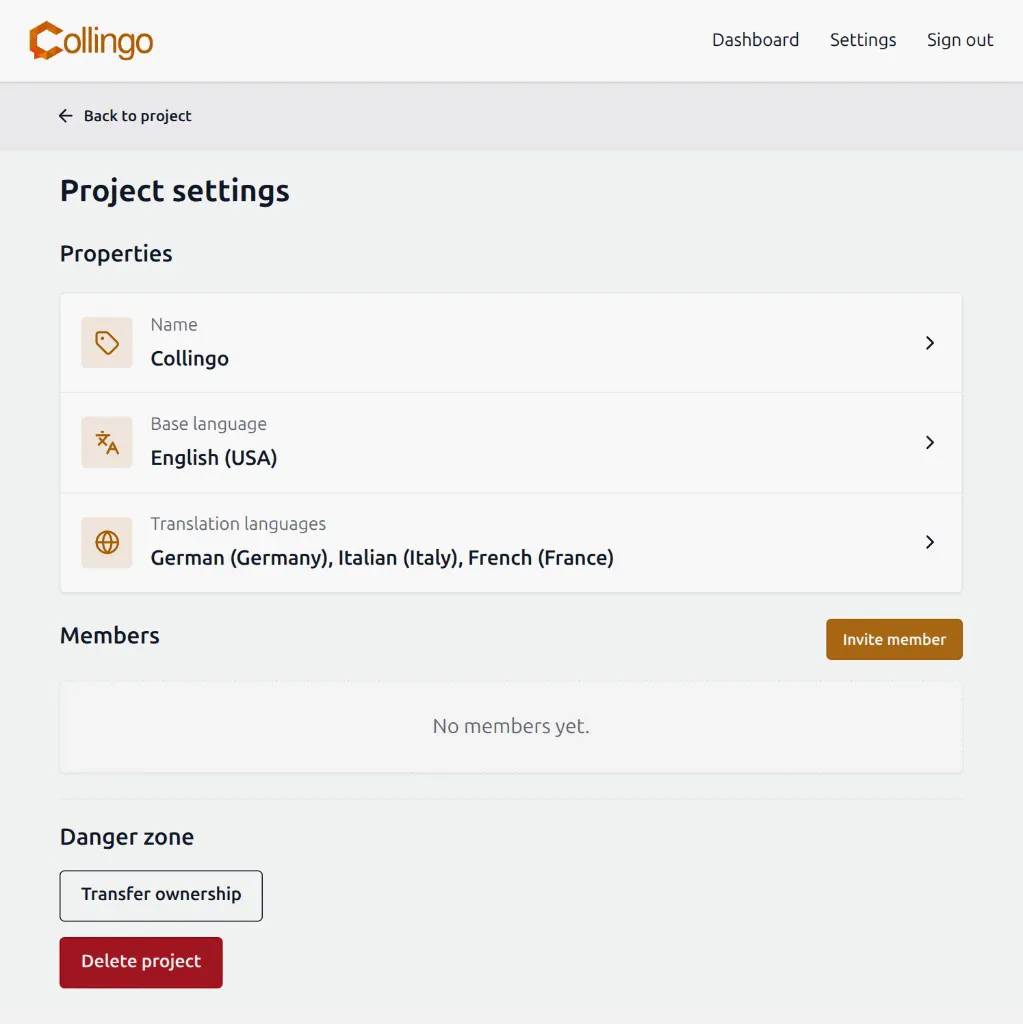
Section titled “How can I edit projects?”On the project page, open Project settings.
There you can change:
- Project name
- Base language
- Translation languages
- Members and roles
Click the property you want to change to open the matching dialog.
How do I manage members?
Section titled “How do I manage members?”In project settings, use the members section to:
- Invite member by email and choose a role (Admin, Editor, Translator, or Viewer — depending on your permissions)
- Change a member’s role
- Remove a member
Roles in short:
| Role | Typical access |
|---|---|
| Owner | Full control, including delete and transfer |
| Admin | Manage project and members (with limits) |
| Editor | Edit groups and entries, and translate |
| Translator | Translate only |
| Viewer | Read only |
Plan member limits apply. If a project is over the member quota, some members may become read-only.
How to change the ownership of a project?
Section titled “How to change the ownership of a project?”Only the current owner can transfer ownership.
- Open Project settings.
- In the danger zone, click Transfer ownership.
- Choose another confirmed member of the project.
- Confirm the transfer.
After the transfer, you remain a member unless you leave; the new owner has full ownership rights.
How do I leave a project?
Section titled “How do I leave a project?”Non-owners can leave from project settings (Leave project). Owners must transfer ownership or delete the project first.
How do I delete projects?
Section titled “How do I delete projects?”In project settings, use Delete project in the danger zone.
Only the owner can delete a project. Deletion removes all groups, entries, and translations in that project.
This action is not reversible.
Export from the web UI
Section titled “Export from the web UI”On the project page you can Download ZIP. The archive contains structured translation data (translations.json and data.json) for backup or custom tooling.
For framework-specific exports (vue-i18n, i18next, Flutter, JSON), use the CLI or the REST API.