Add your first groups
Creating structures using groups
Section titled “Creating structures using groups”A group is a collection of entries - terms within your software you want to translate. For example your footer could be a group, and the labels within are individual entries within this group. Groups can also sub groups, similar like a folder structure. This gives you the ability to organize your entries like you want. The project is the upper most level of this hierarchy and can only contain groups.
You can find more details here:
For example, you could create a group for “Pages” and then for each page of your website, you create a subgroup. Here you can see an example for a simple structure:
Directorypages/
Directoryhome/
- …
Directoryabout/
- …
Directorygeneral/
Directoryheader/
- …
Directoryfooter/
- …
You can create groups at two places:
- In a project page, when you want to create a group at top level
- In a group page, when you want the new group to become a sub group
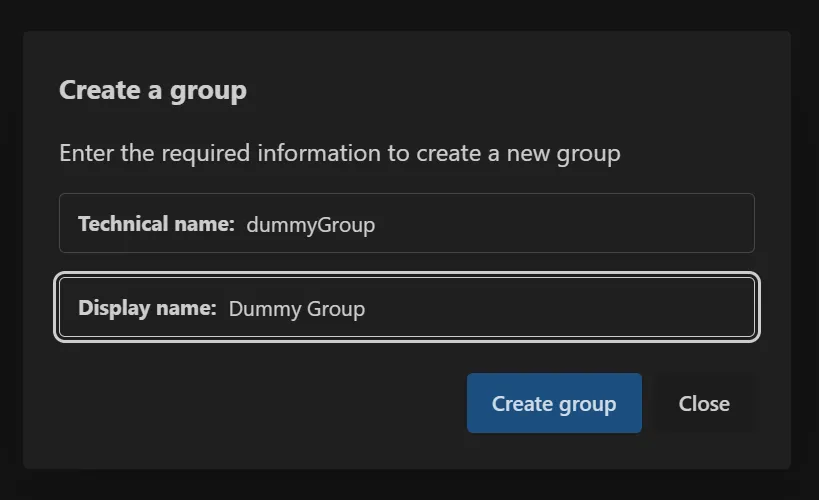
In both pages you can find the “Create group” button on the right hand side. This will open the dialog for creating a group. This dialog asks you for two information:
- A display name, readable for your project members
- A technical name, used from the translation library of your software
For the display name choose a descriptive name, so you or your team members understand what this group is for.
For the technical name you have to follow a convention, because this is used to
generate technical files later. A technical name should also be unique for each group.
The first character must be a lowercase letter.
After that, you can use lowercase letters, uppercase letters and numbers.
Examples would be: pages, landingPage, error404, profilePage, and so on.
See more examples and a more clear description in the chapter Technical Names. You can also find more details about creating groups in the Chapter Creating groups.